Resources
See QOTAN.ai at work.
A walkthrough of our AI alarm management demo, running on a simulated gas processing facility. Browse the screens below, then try the interactive demo yourself.
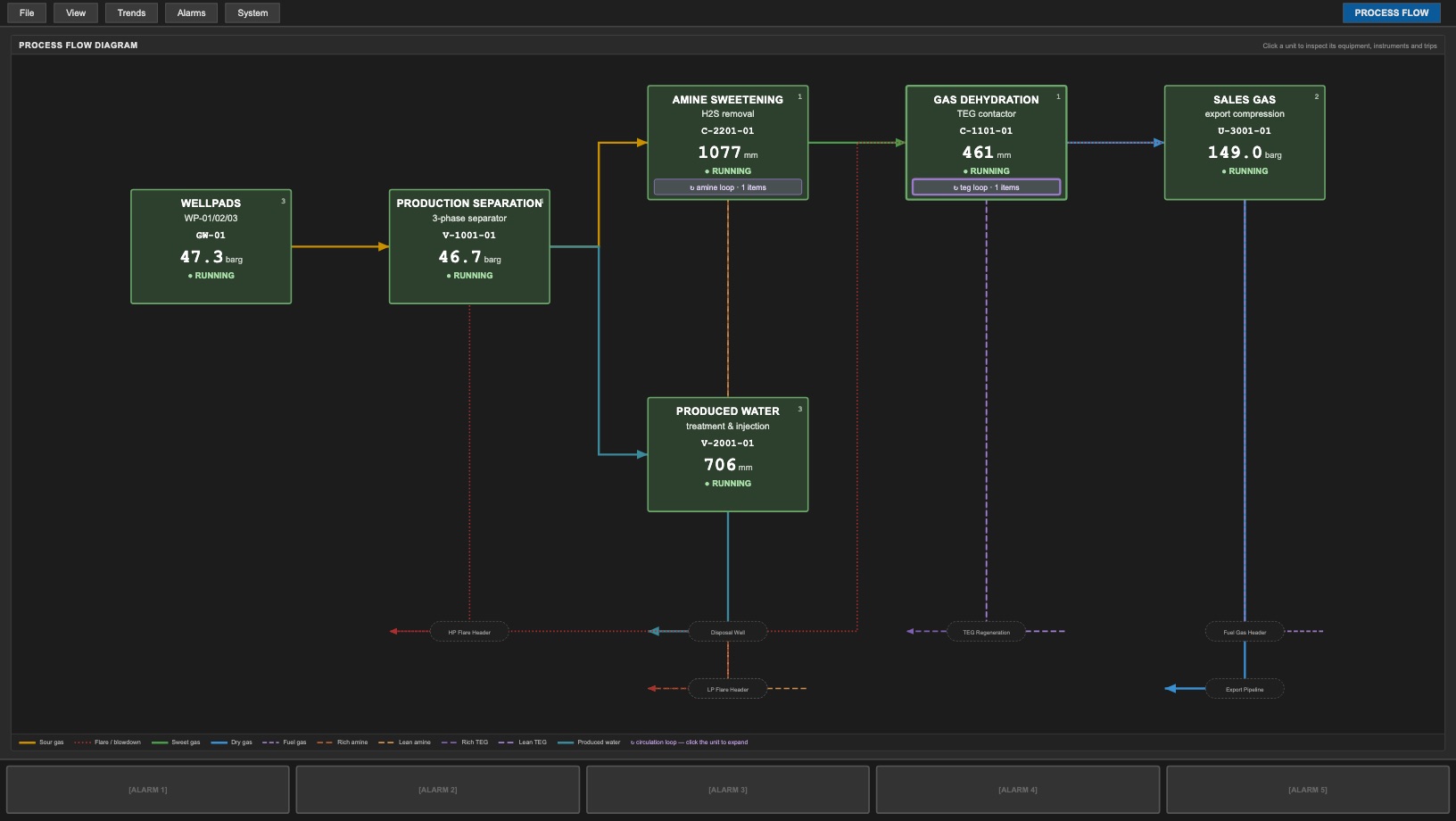
01 · Plant overview
The whole facility on one screen
The process flow view shows every unit from the wellpads through separation, amine sweetening, dehydration and sales gas compression, plus produced water treatment. Each unit shows its key live reading and running status.
Click any unit to open its equipment, instruments and trip points.
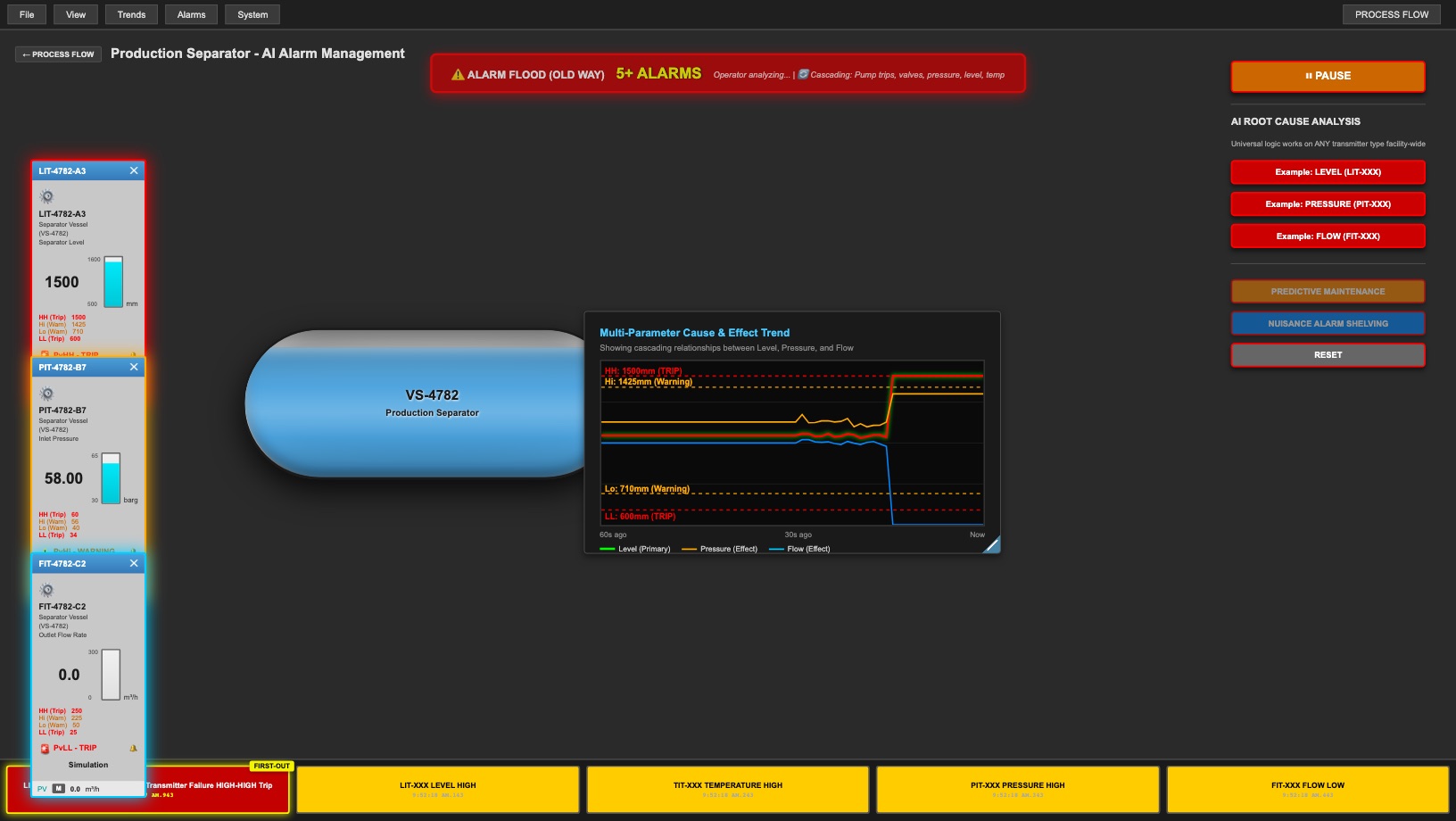
02 · The problem
One failure, dozens of alarms
In this scenario a single level transmitter fails on the production separator. Within seconds, pressure, flow and temperature alarms follow, and the alarm count climbs past twenty.
This is what an operator faces today: a wall of alarms with nothing to say which one started it.
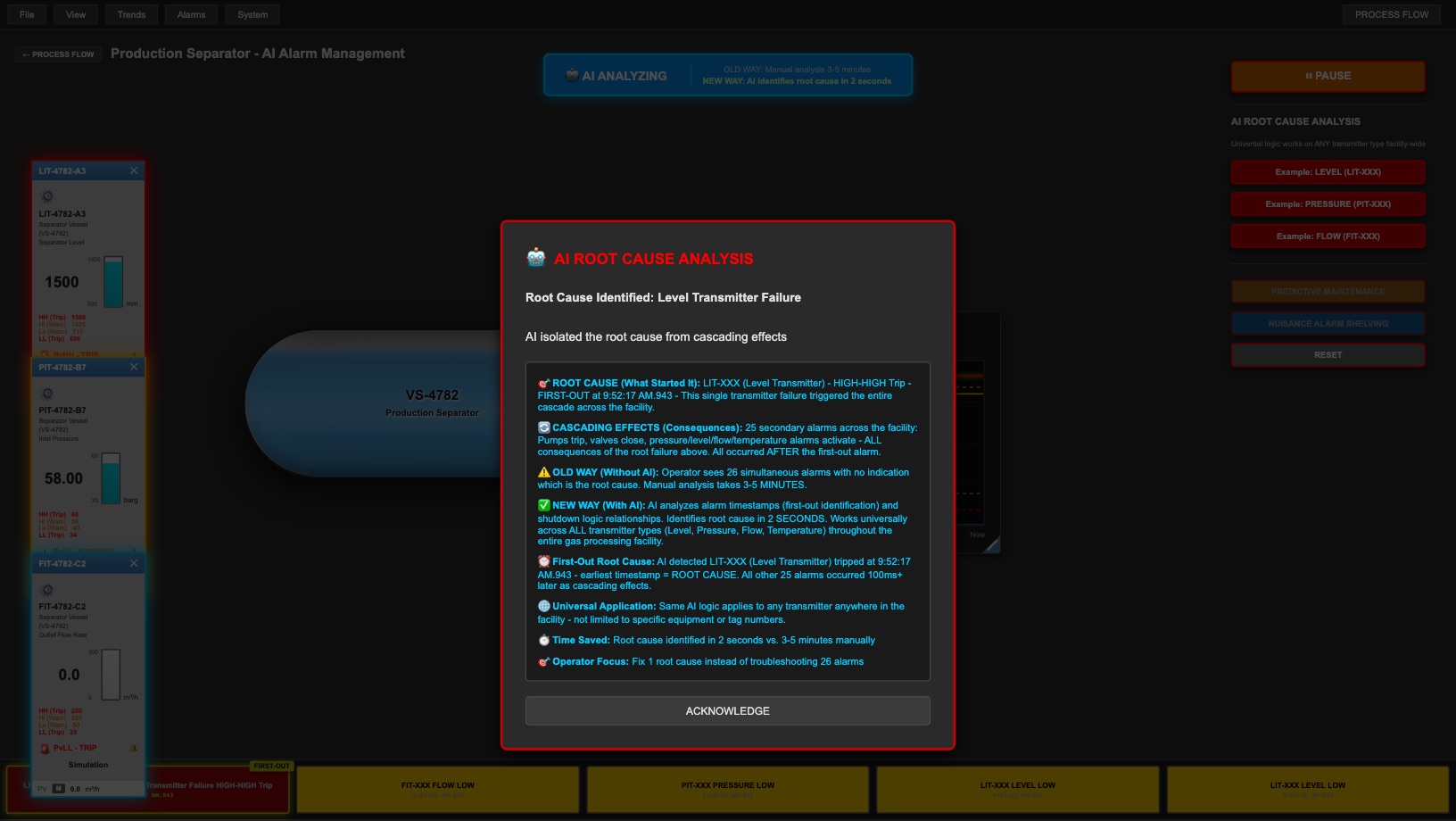
03 · AI root cause analysis
The root cause, picked out in seconds
QOTAN.ai compares alarm timestamps and shutdown logic to find the first-out alarm, then separates that root cause from the alarms it triggered.
In the demo, the operator gets one item to fix instead of 26 alarms to troubleshoot, in about two seconds rather than the three to five minutes a manual analysis takes. The same logic applies to any level, pressure, flow or temperature transmitter in the facility.
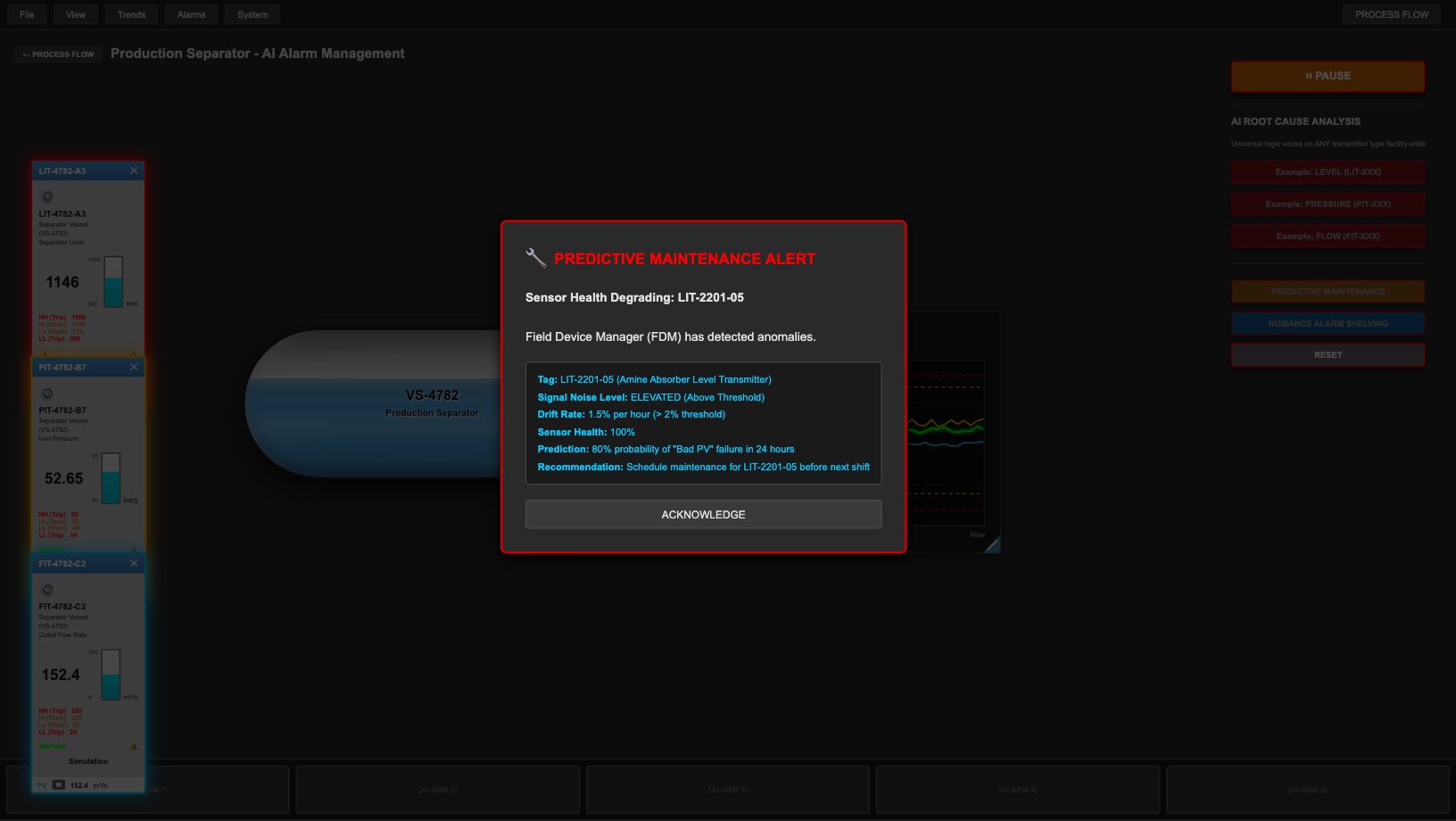
04 · Predictive maintenance
A warning before the instrument fails
Here the system has noticed a level transmitter's health degrading. Signal noise is elevated and the reading is drifting, both early signs of failure.
The alert gives the probability of failure in the next 24 hours and a clear recommendation: schedule maintenance before the next shift, while the unit is still running normally.
05 · Smart alarm shelving
Nuisance alarms, explained and safely shelved
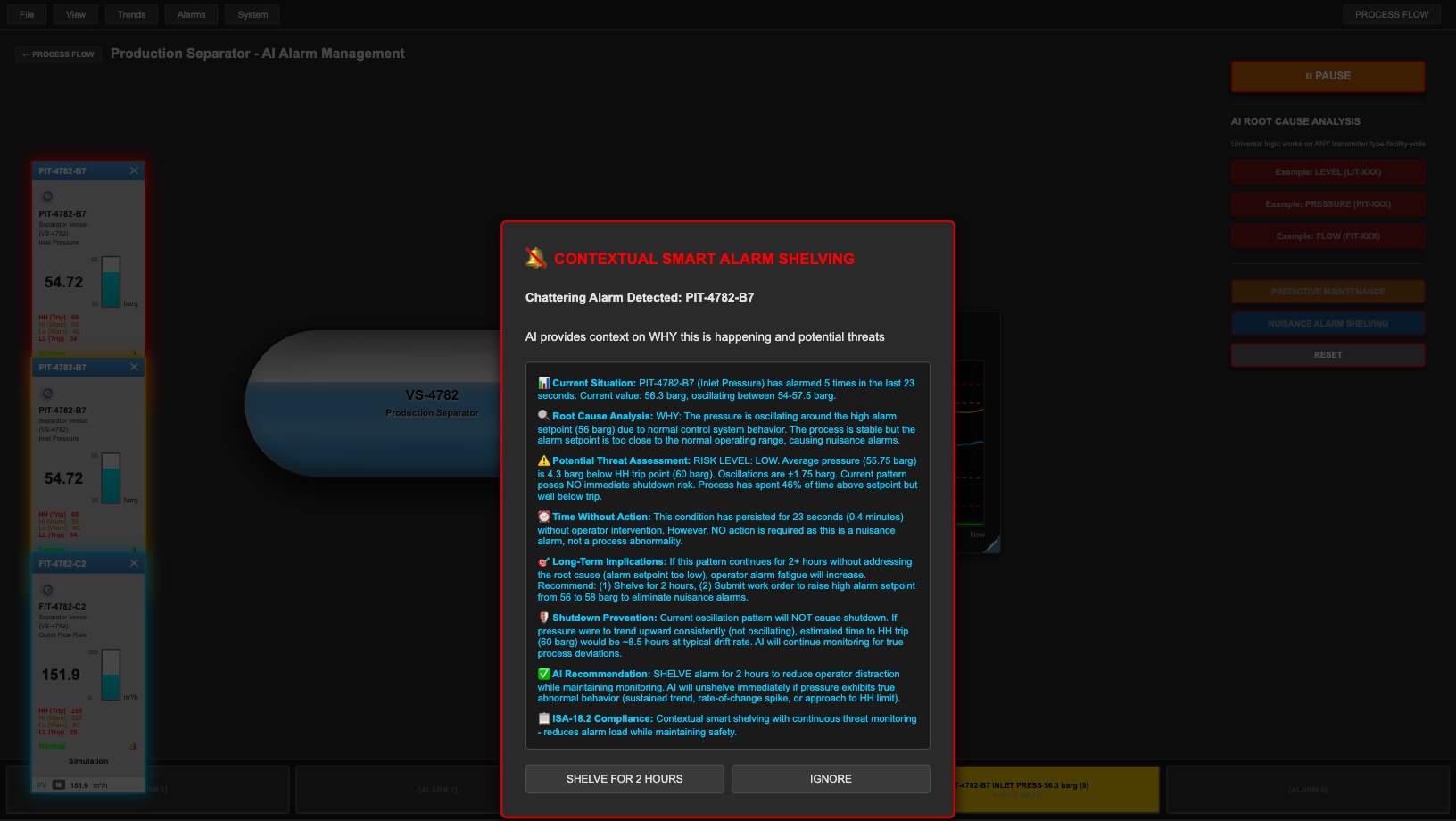
A pressure alarm keeps firing because its setpoint sits too close to the normal operating range. QOTAN.ai spots the chattering, explains why it is happening and assesses the risk of a shutdown.
It then recommends shelving the alarm for two hours and raising a work order to fix the setpoint. Monitoring continues while the alarm is shelved, in line with ISA-18.2.
Interactive demo
Try the demo yourself.
Run each scenario in your browser: trigger an alarm flood, watch the AI find the root cause, and see predictive maintenance and smart shelving in action.
- No installation. The demo opens in your browser as soon as you submit the form.
- Simulated data. It runs on a simulated gas processing facility, not a live plant.
- Best on a large screen. The demo is laid out like a control-room display.